|

Game Commands
(Next: Creating a Game)
|
|
|
In the previous section, we described the meaning of the various elements of the game list. We will now describe how to join, exit, and watch games.
|
|
Join/Exit/Watch Games
|
|
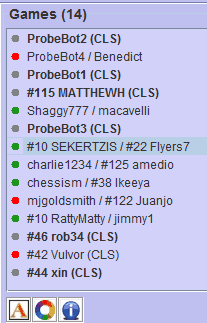
Open games may be selected and joined. To do so, click on an open game so that it is highlighted and then click the "Join Game" icon button shown here.
|

|
|
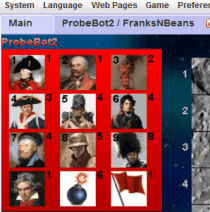
Once you join a game, you will be taken to the game setup screen. This will open as a separate tab within the main window. You can click back on the "Main" tab to return to the chat room at any time without exiting your game. If you do wish to exit a game, you may do so at any time prior to completing your setup using the "Exit Game" icon shown here.
|

|
|
To watch a game, select a game that is currently underway (as indicated by a GREEN indicator dot). Once that game is highlighted, you may begin watching by clicking the "Watch Game" icon, shown here. The game being watched will show up as a new tab in the main window. To stop watching the game, simply click the 'X' button located on the game's tab.
|

|
|
Next we'll discuss how to create your own game...
Next: Creating a Game | Prev: Games List
|
|

 Facebook
 Twitter
 Linked-In